

Create a task
Click New task. Describe the change, then pick the repository and executor. You can also attach files (images, PDF, docx, txt, md, csv; up to 20 MiB each) and add connections. Press Start task or⌘ + Enter.
Everything here also works from the CLI and the MCP server.
The inbox
Tasks has three tabs. Needs attention holds everything waiting on you: answers, reviews and failures. Running is work in progress. Past is finished work. Filter by repository or person, or search task requests.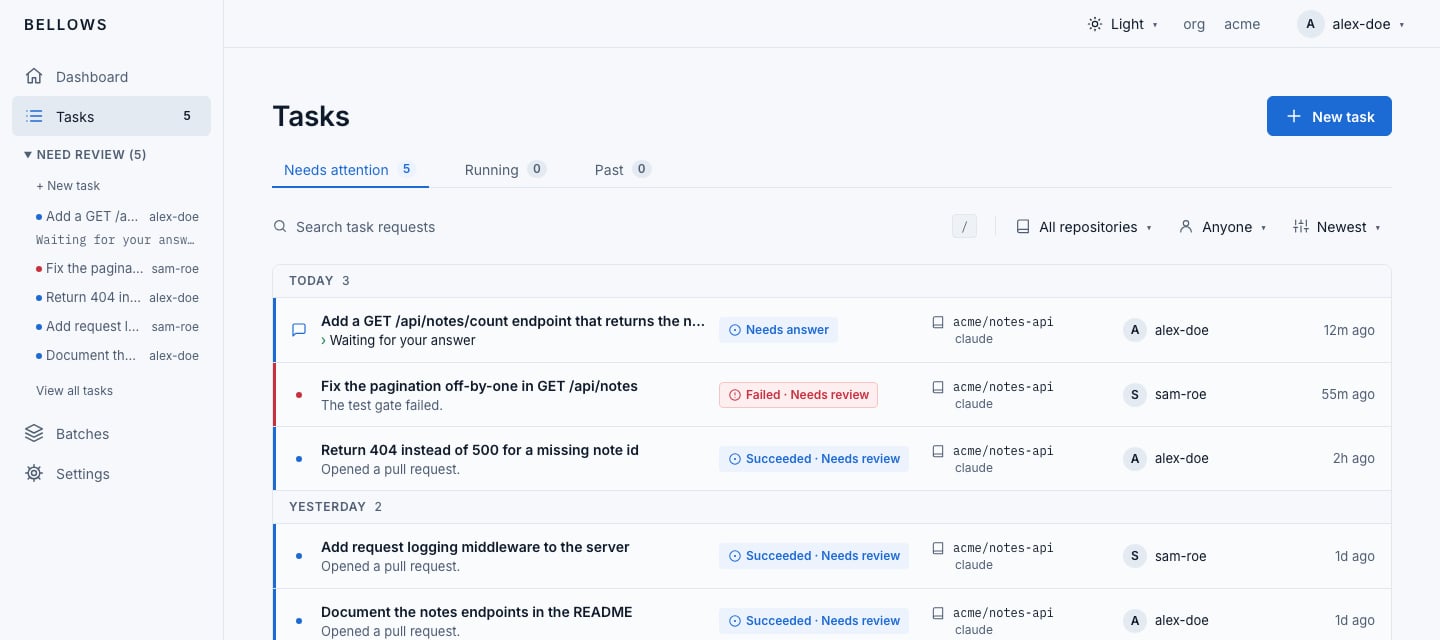
Task actions
What each status means, and what to do when a run fails: Task lifecycle.